AENC is free. It sits on top of the apps you already have. You encrypt something on your phone,
you send that encrypted file through any messenger, and only the person you picked can open it. Below is the
one time setup, and then how you use it every day. You and the person you talk to both set up the same way.
Please read this first. There is no recovery. Your identity is protected by
a passphrase and there is no reset button. If you lose the key file and also forget the passphrase, that identity
is gone for good, and so is anything that was encrypted for it. We suggest keeping your key on a USB or OTG drive,
that way it never stays on the phone.
First time setup
1
Sign Up and create your identity
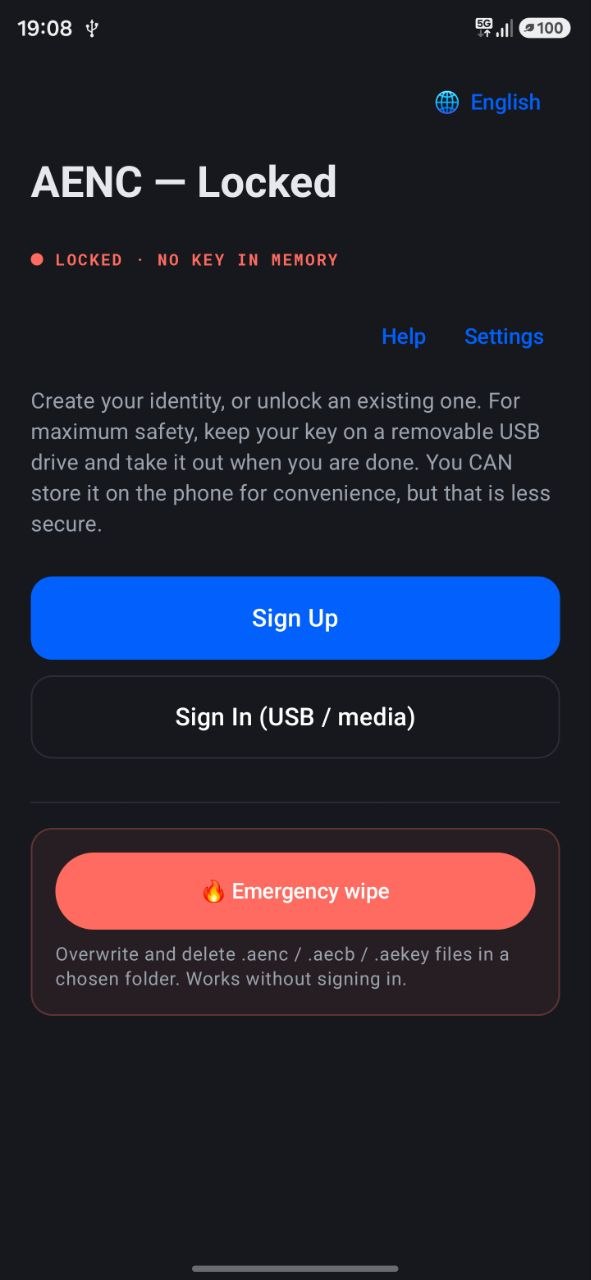
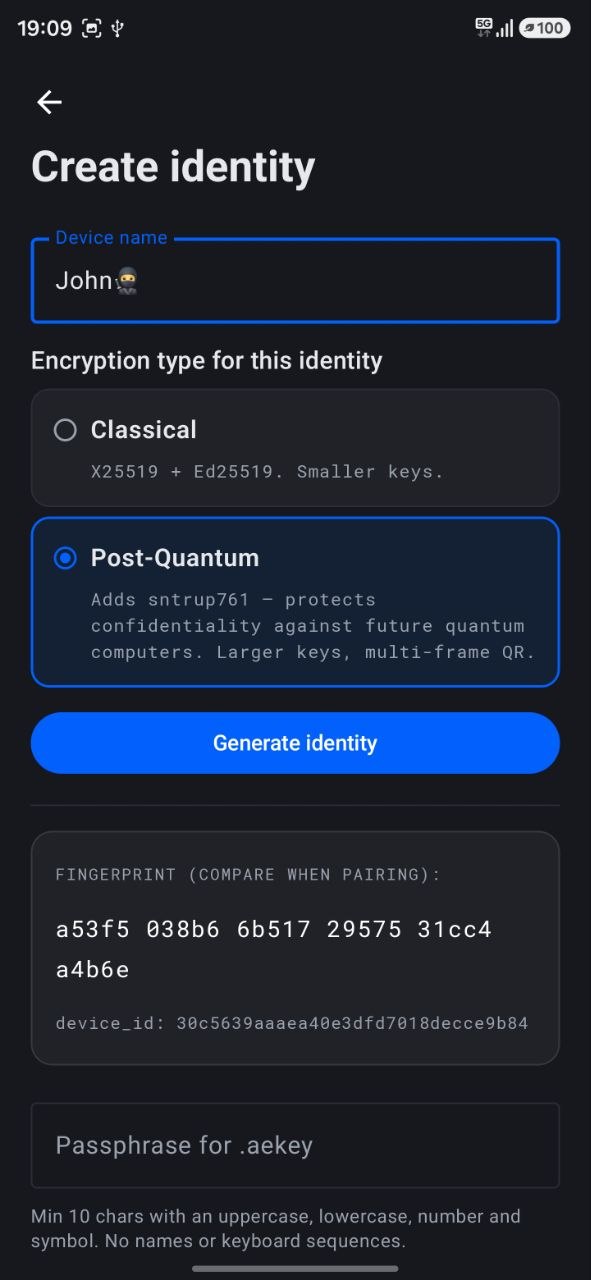
On the start screen tap Sign Up. Type a name, for example your device name. Then pick
the encryption type. Classical uses smaller keys. Post Quantum protects you against future quantum computers. Both
people need the same type to talk to each other. Tap Generate identity. You will set the
passphrase in the next step.
Start screen, tap Sign UpCreate identity
2
Set a passphrase and save your identity
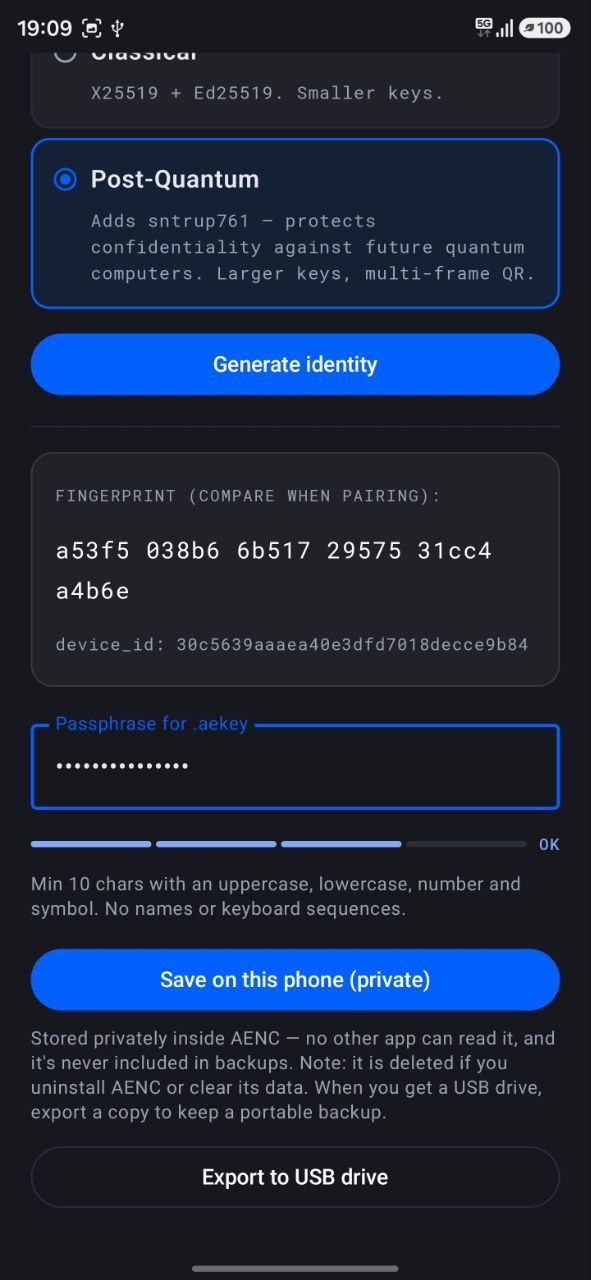
Enter a strong passphrase, something long and hard to guess. Now pick one place to keep the key.
Save on this phone (private) keeps it inside AENC where no other app can read it.
Export to USB drive puts it on your drive. We recommend the USB drive, that way the key
never stays on the phone.
Set passphrase and save
3
Sign In
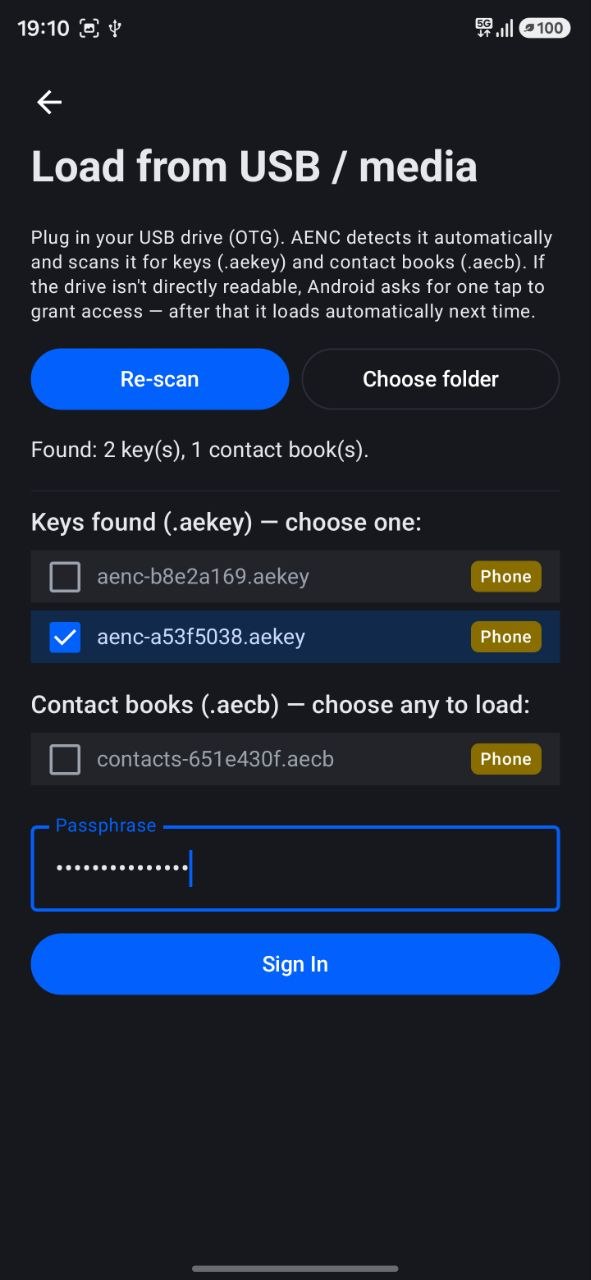
On the start screen tap Sign In (USB / media). AENC finds your identity on its own,
both inside the app and on a plugged in USB. A small tag shows Phone or USB. Pick your key, type your passphrase,
and sign in. The key stays in memory only for this session. It is wiped when you lock, when the app auto locks, or
when you close it.
Sign In (USB / media)
4
Exchange contacts with your friend
You and your friend need to add each other. There are two ways to do it, pick whichever is easier.
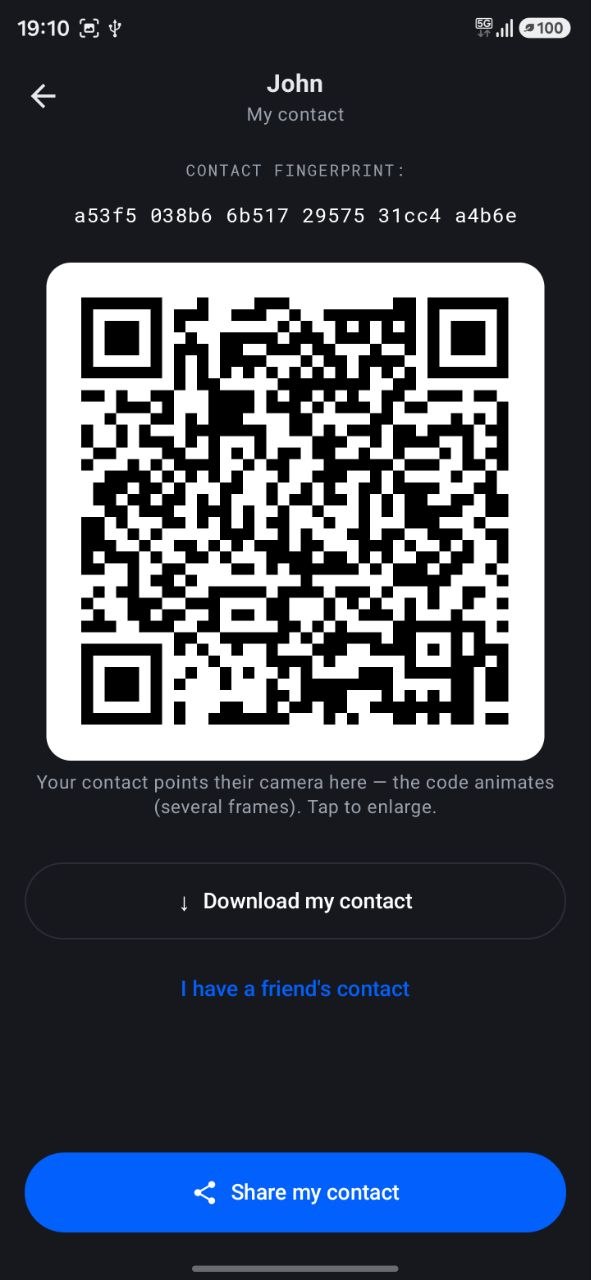
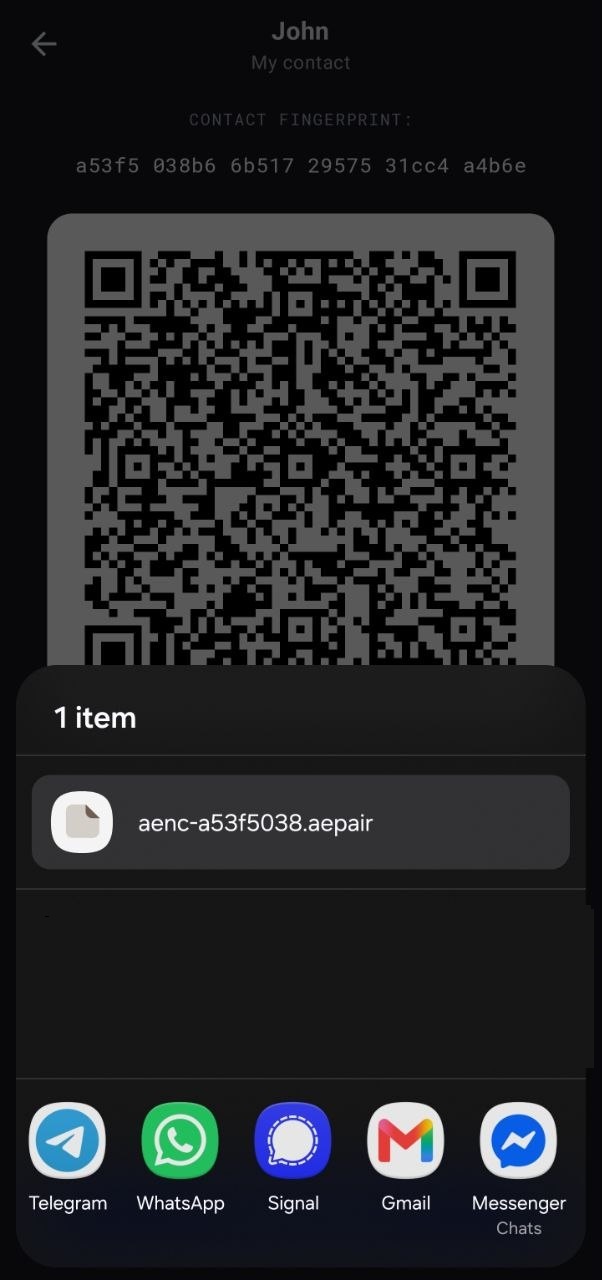
Option one, the contact file. Tap Share my contact and send the file
(it ends in .aepair) through any app like Telegram, WhatsApp or email. Your friend does the same and
sends you theirs.
Option two, the QR code. Show your QR on the My contact screen and let your friend scan it with
Scan contact QR. Then they show theirs and you scan it. Doing this face to face is the safest.
Your contact, QR or fileSend through any appDelivered in a messenger
5
Save each other
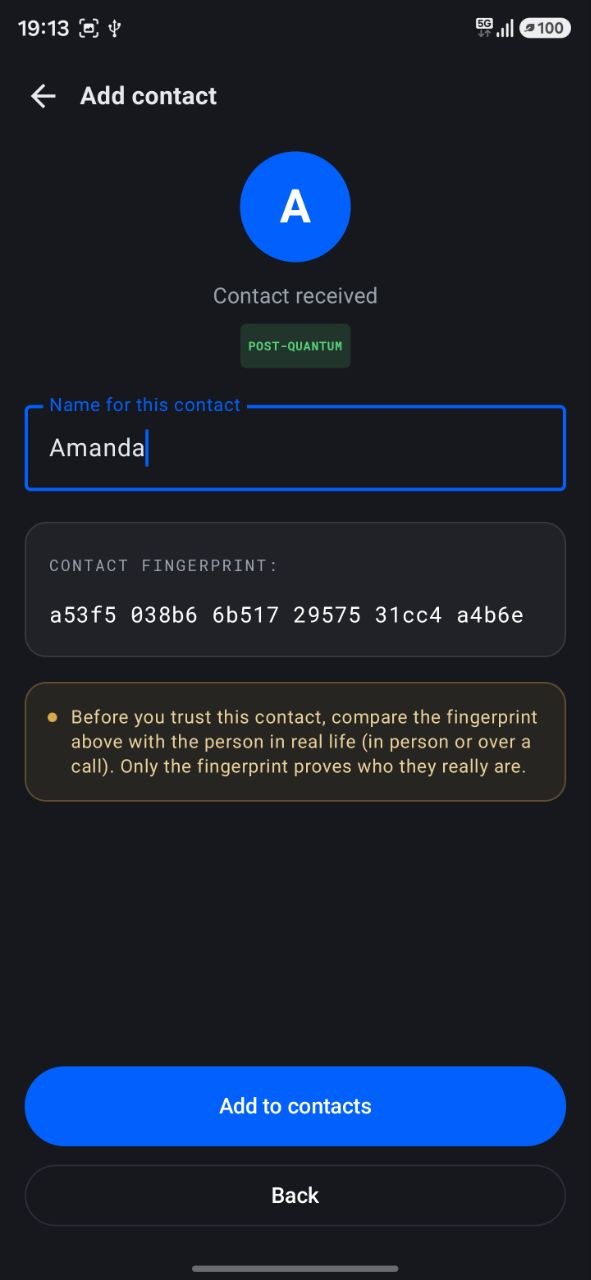
When you get your friend's .aepair file, just tap it, or finish the QR scan. AENC shows the new
contact and asks you to add them. Give them a name and tap Add to contacts. Your friend
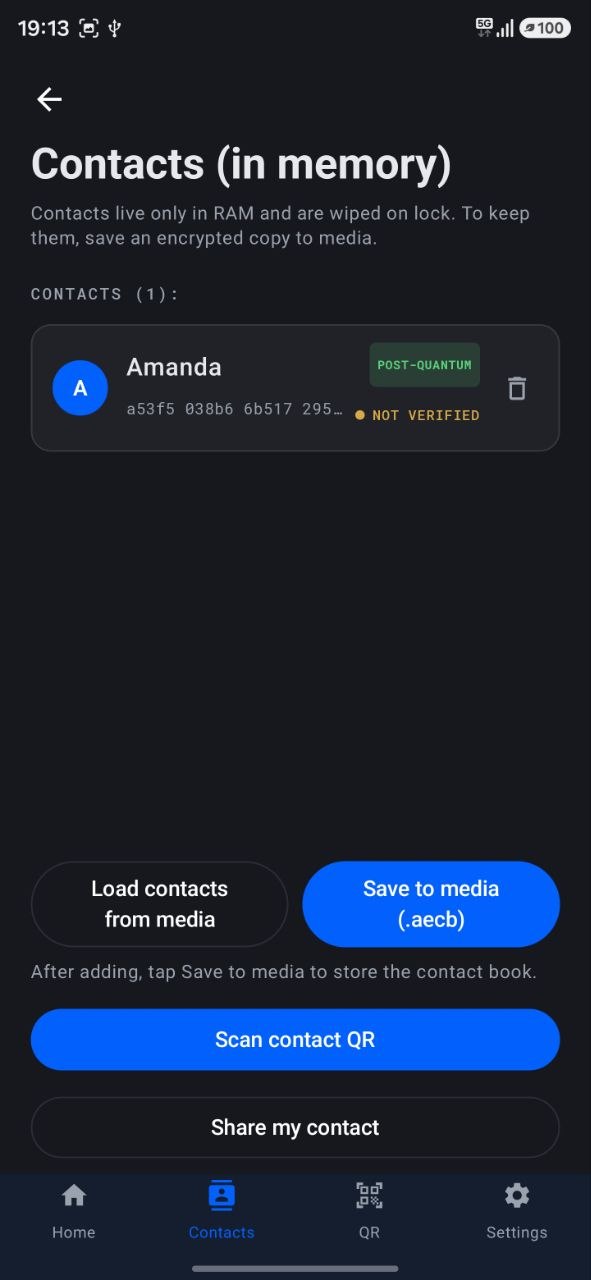
adds you the same way. New contacts go into the same contact book, so tap Save to media to
keep it. A USB drive is the best place for that book.
Name and add the contactSaved in Contacts
6
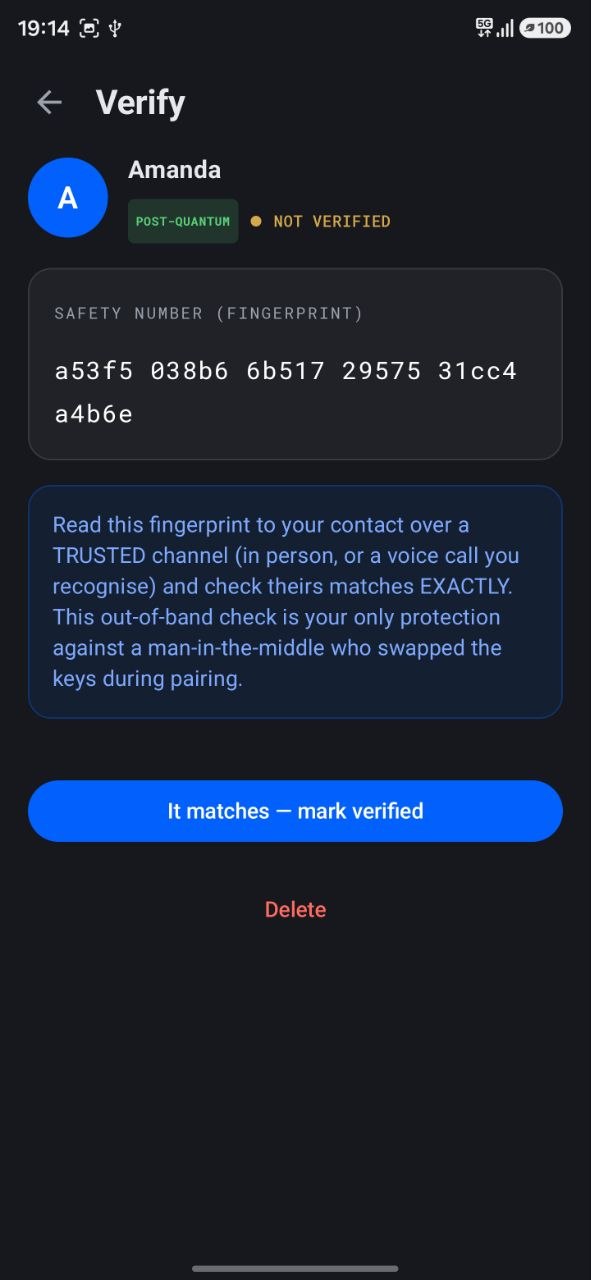
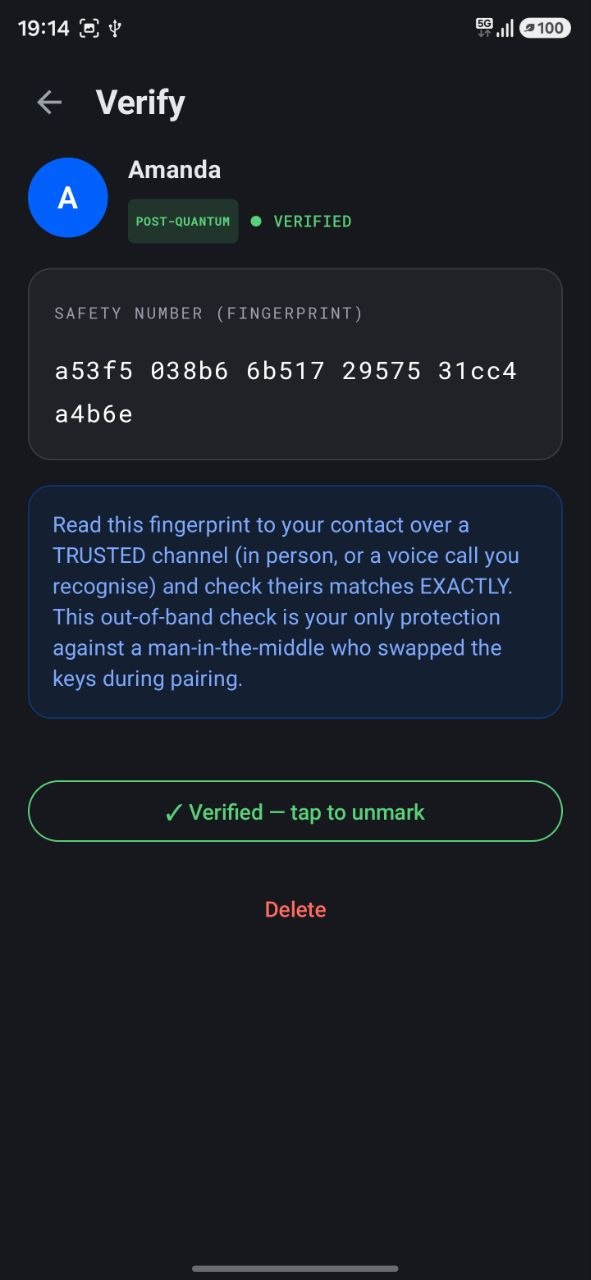
Verify (recommended)
A new contact shows NOT VERIFIED. Tap the contact to open the Verify screen. Read the safety number out loud to
your friend over a channel you trust, like a call you recognise or in person. If theirs matches yours exactly, tap
It matches, mark verified. Now it turns green and shows VERIFIED. This out of band check is
your real protection against someone swapping the keys while you pair.
Compare the safety numberMarked VERIFIED
Everyday use
7
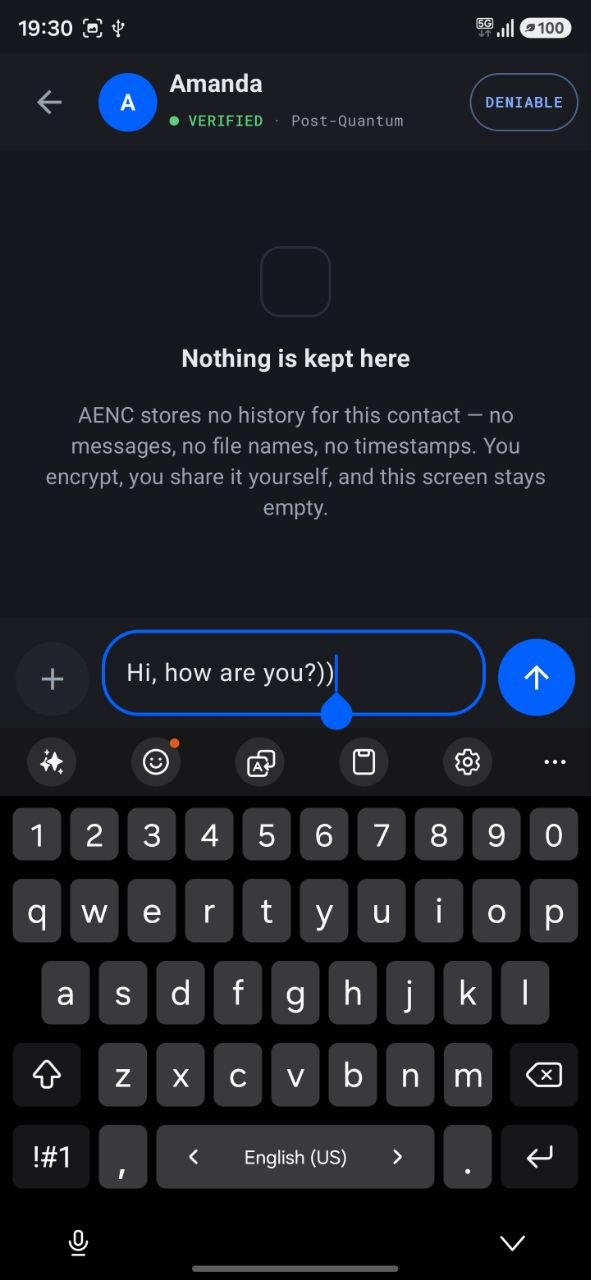
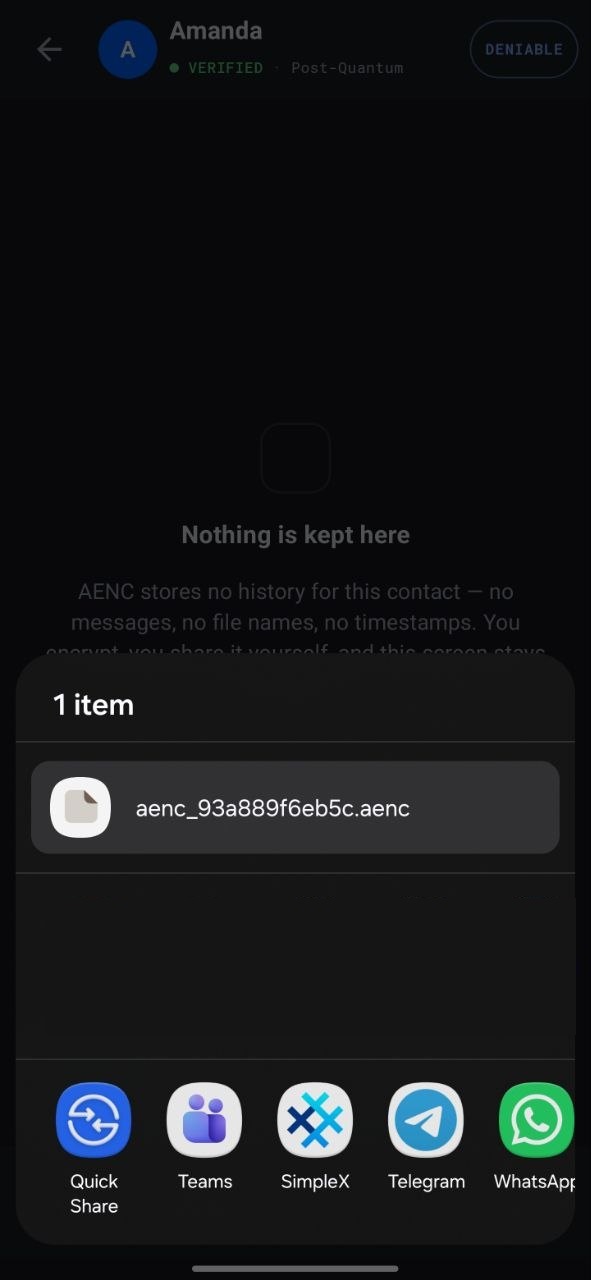
Send an encrypted message
Tap the contact to open the chat. Type your message and tap send. AENC encrypts it and lets you share the
.aenc file through any app. Only your friend's AENC can open it. Use the plus button to attach a file, a
photo or a video, or tap the microphone to record a voice note. Nothing is stored, the chat keeps no history.
Type and sendShare the encrypted file
8
Read what you receive
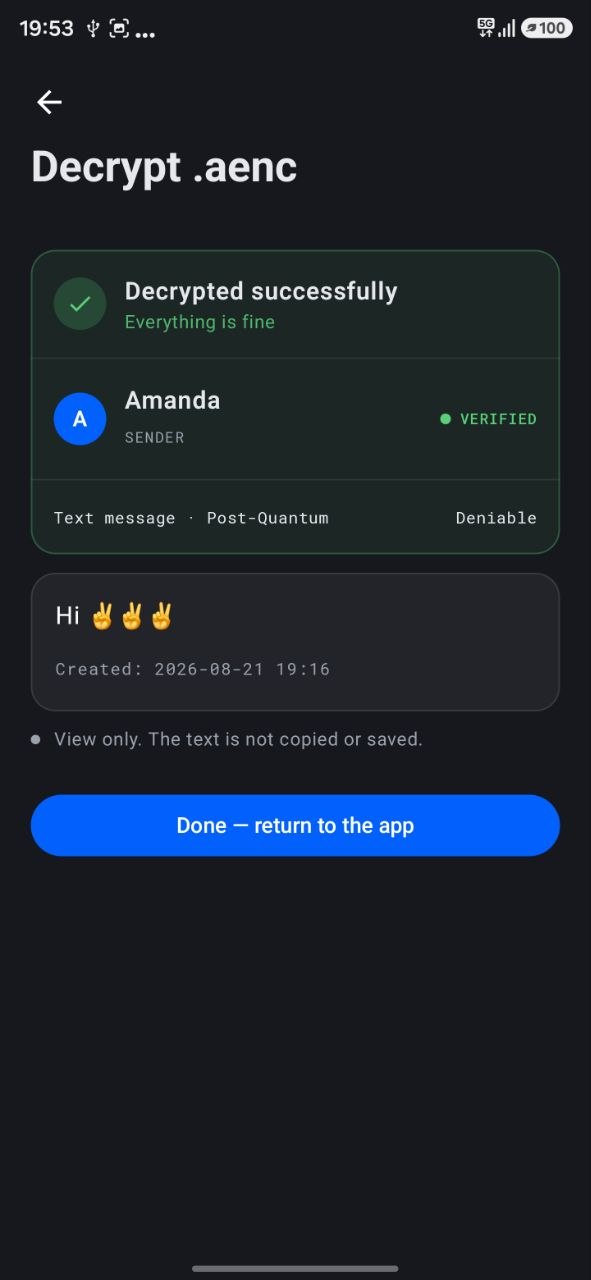
Sign in first. Then in your messenger just tap the .aenc file your friend sent. It opens in AENC and
decrypts on its own. Decrypted text is view only. Files are saved where you choose, after a quick safety check.
Decrypted content stays in memory and is wiped when you leave.
Opens and decrypts on its own
Coming soon, a built in messenger. A future paid feature will let you send straight
through our own server, with no third party app, end to end with the Signal protocol, and files that open right in the
chat. The offline encrypt, decrypt and share stays free for everyone.